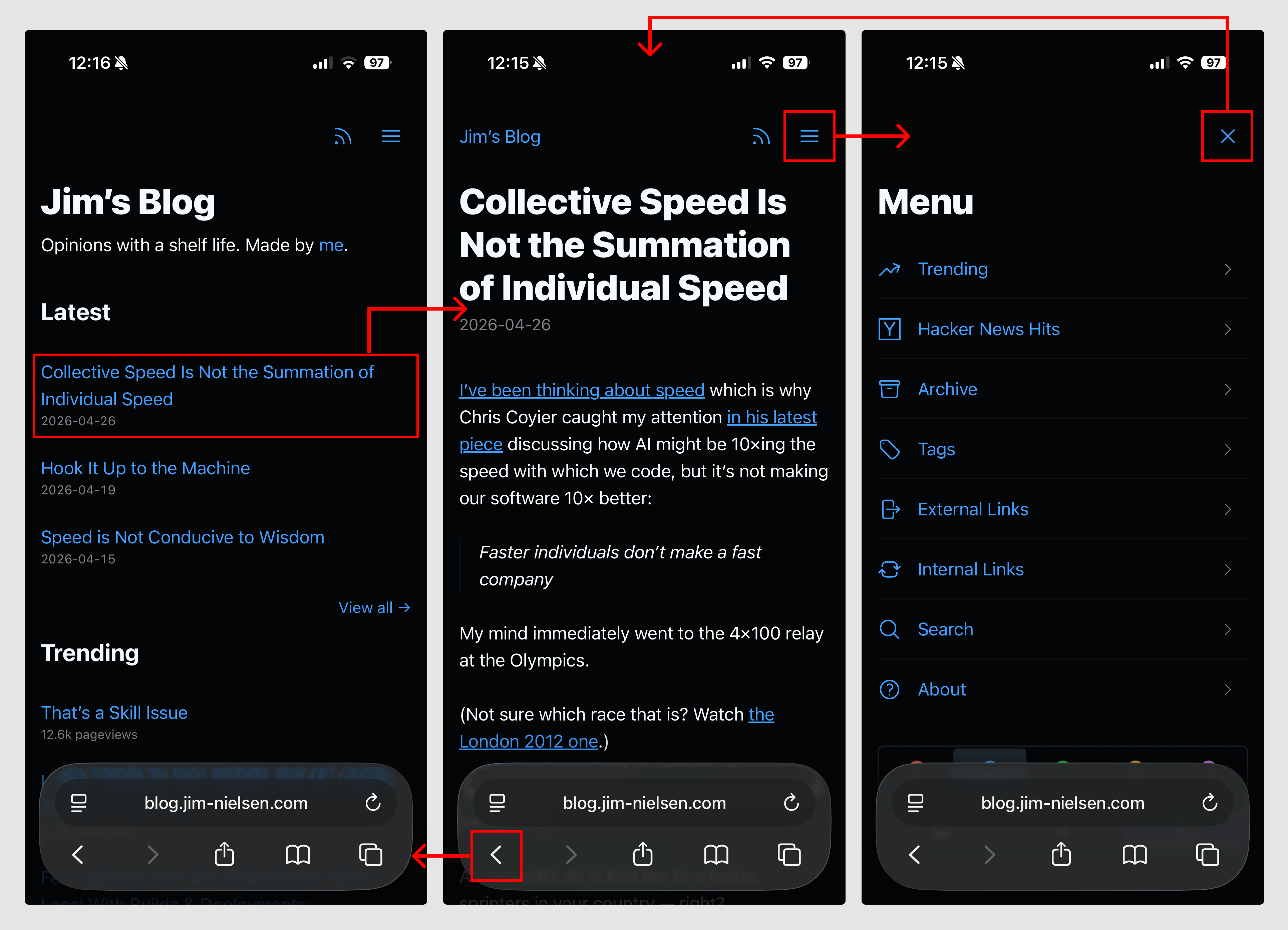
"Avoid in-page interactions that require JavaScript in favor of multi-page navigations that rely on HTML and are enhanced with CSS view transitions (and a dash of JS if/where prudent). Have a newer device with a modern browser? Great, you get a nicer effect. Have an older device, or an older browser, or JS disabled? It'll still work."
"All the pages have a link to the menu (except the menu page). When you navigate to the menu, that link is changed to an 'X' which 'closes' the menu. The closing is still just a link (back to /) but it's enhanced with JS to actually do a 'back' in the browser history. This makes it so 'opening/closing' the menu doesn't add an entry to your browser history."
The approach prioritizes HTML-based multi-page navigation over JavaScript-dependent in-page interactions, enhanced with CSS view transitions for modern browsers. A menu system exemplifies this: clicking a link navigates to a dedicated menu page, with CSS transitions providing visual enhancement on capable devices. The implementation uses document.referrer to detect navigation context, enabling browser history management through JavaScript when appropriate. This progressive enhancement strategy ensures functionality across older devices, older browsers, and scenarios with JavaScript disabled. The core principle maintains that if users can follow links—the browser's most fundamental capability—the website functions properly.
#progressive-enhancement #html-based-navigation #css-view-transitions #web-performance #accessibility
Read at Jim-nielsen
Unable to calculate read time
Collection
[
|
...
]